- Screens designed
- 170
- Modules
- 3
- Platform
- Web application
- Market
- Content needed: country or region
Overview
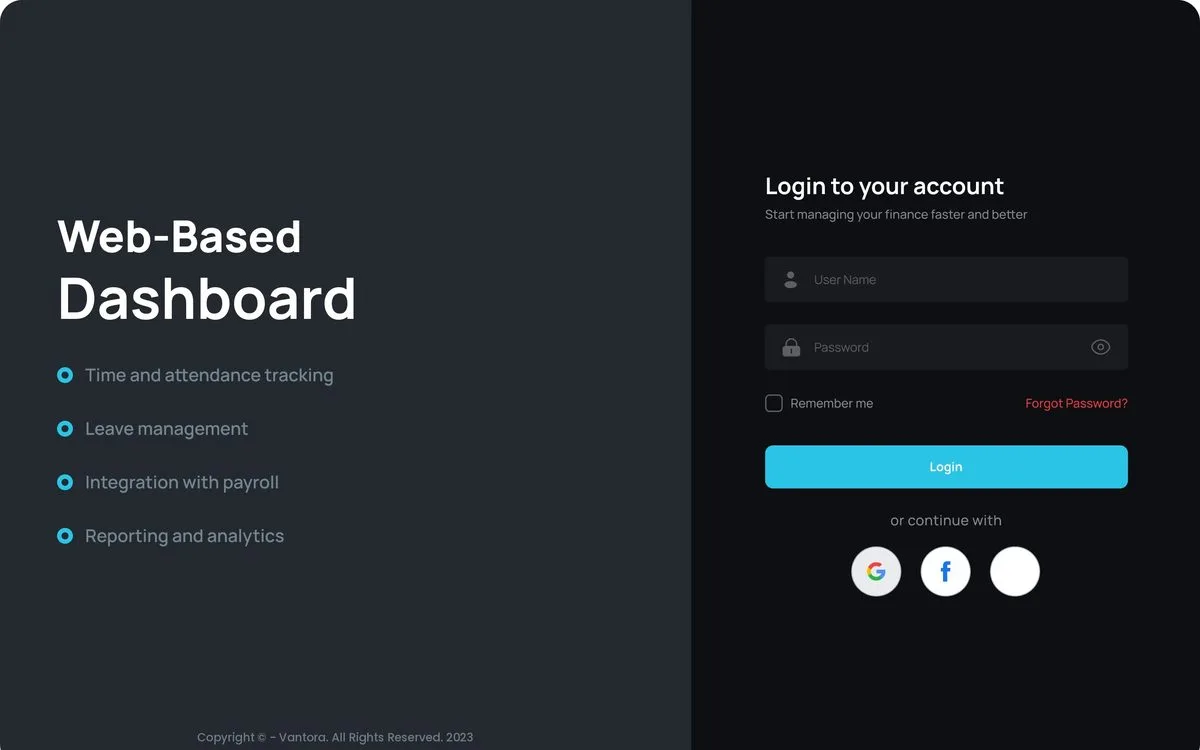
The client ran several brands from one team and tracked sales, marketing spend and staff in separate places. Vantora brings them into one suite with shared sign-in and role-based views for admins, managers and staff.
What made it complex
- Three modules for one company: sales, lead management and HR
- Role-based views for admins, managers and staff
- Moving between modules without signing in again
- Brand-by-brand reporting across leads, spend and revenue
Key decisions we made
Vantora Close: sales operations
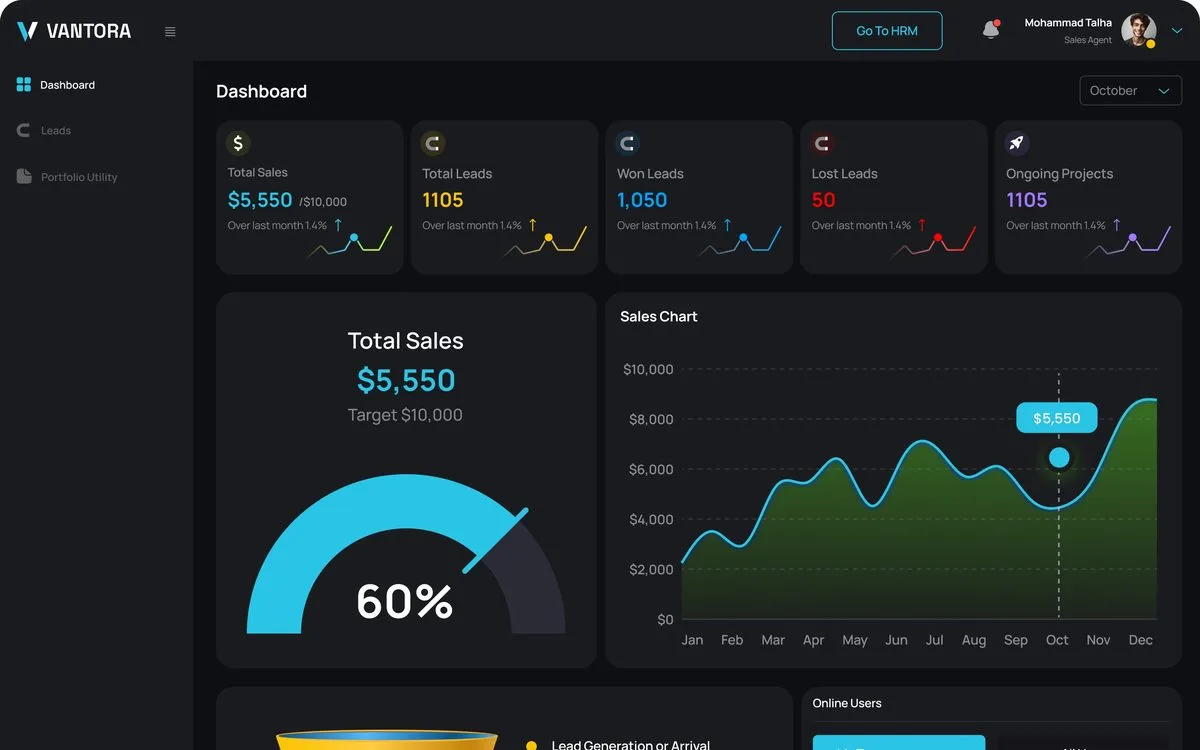
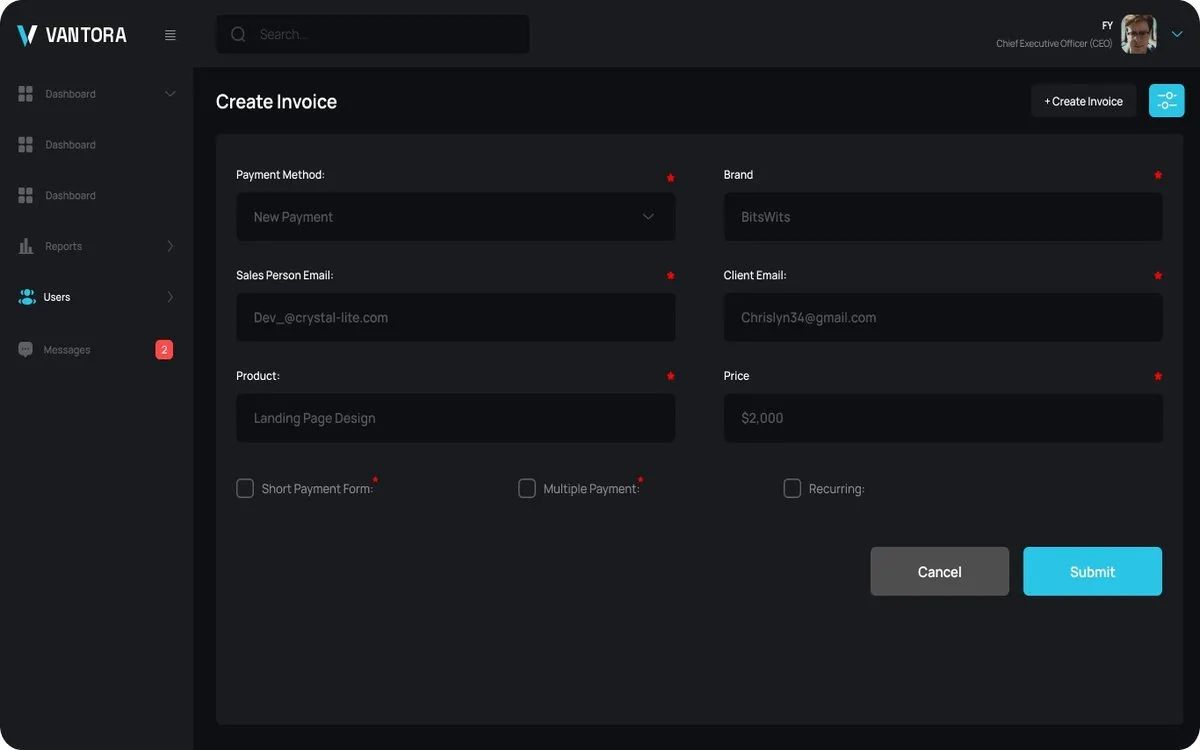
Vantora Close is the sales module of the Vantora suite, a set of internal tools built for one growing company. It brings leads, targets, invoices, and campaigns into a single dashboard, with separate views for admins, managers, and individual users.
- Role-based dashboards. Separate views for admins, managers, and users.
- Targets and revenue. Monthly targets, achieved, pending, and net profit at a glance.
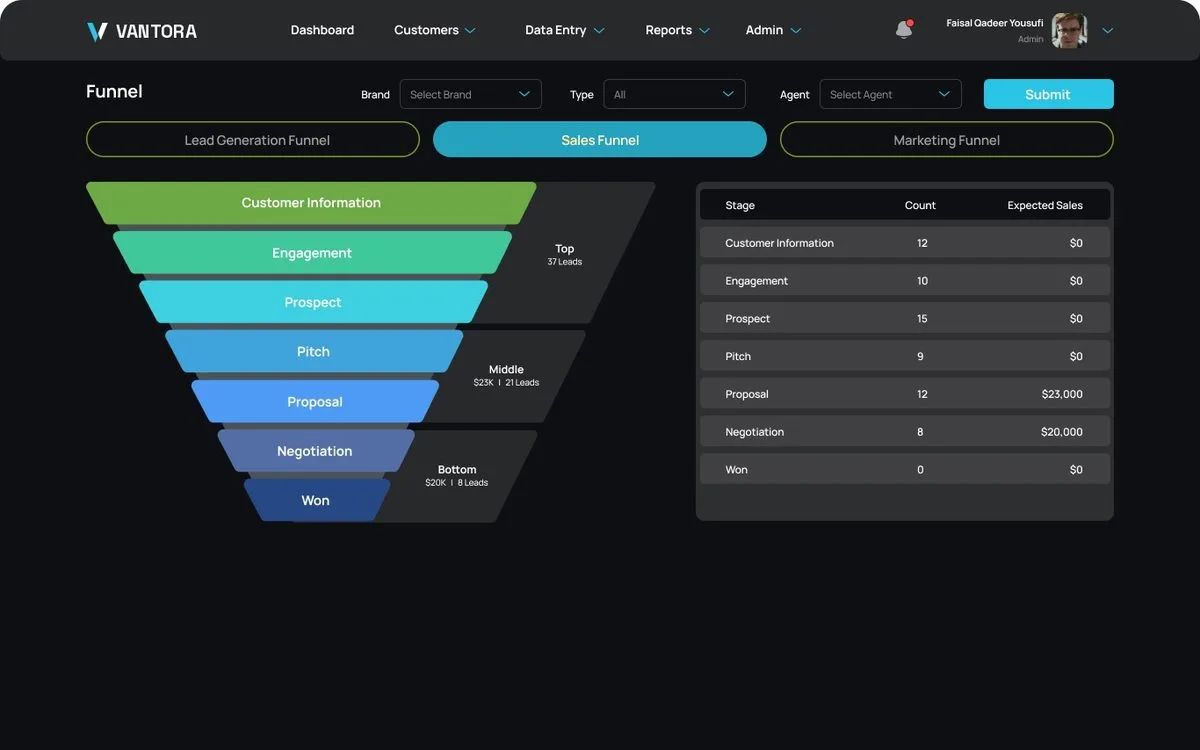
- Sales funnel. Lead stages from first contact to closed.
- Cost per lead. CPL tracking across running campaigns.
- Invoicing. Create invoices, track payments, and archive periods.
- Invoice emails. Configurable invoice email settings.
- Campaigns and keywords. Campaign and keyword tracking per brand.
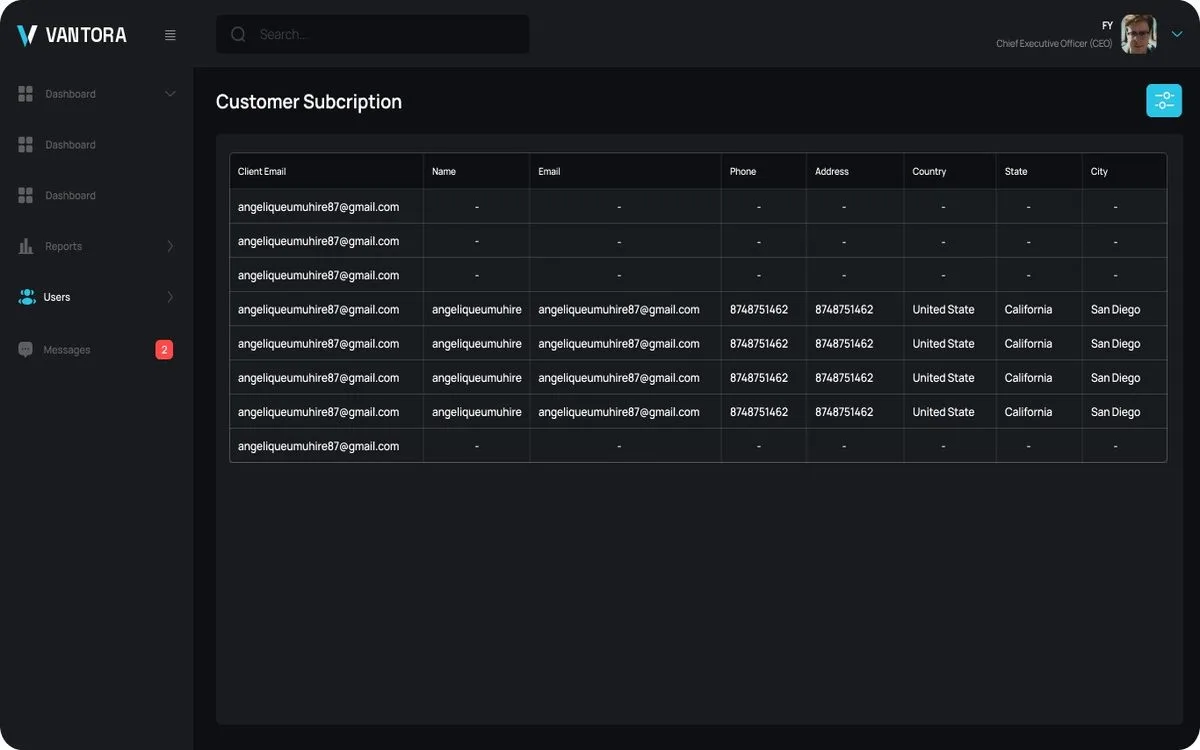
- Brands and clients. Brand lists, client reports, and customer subscriptions.
- Users and permissions. User management and permission groups.
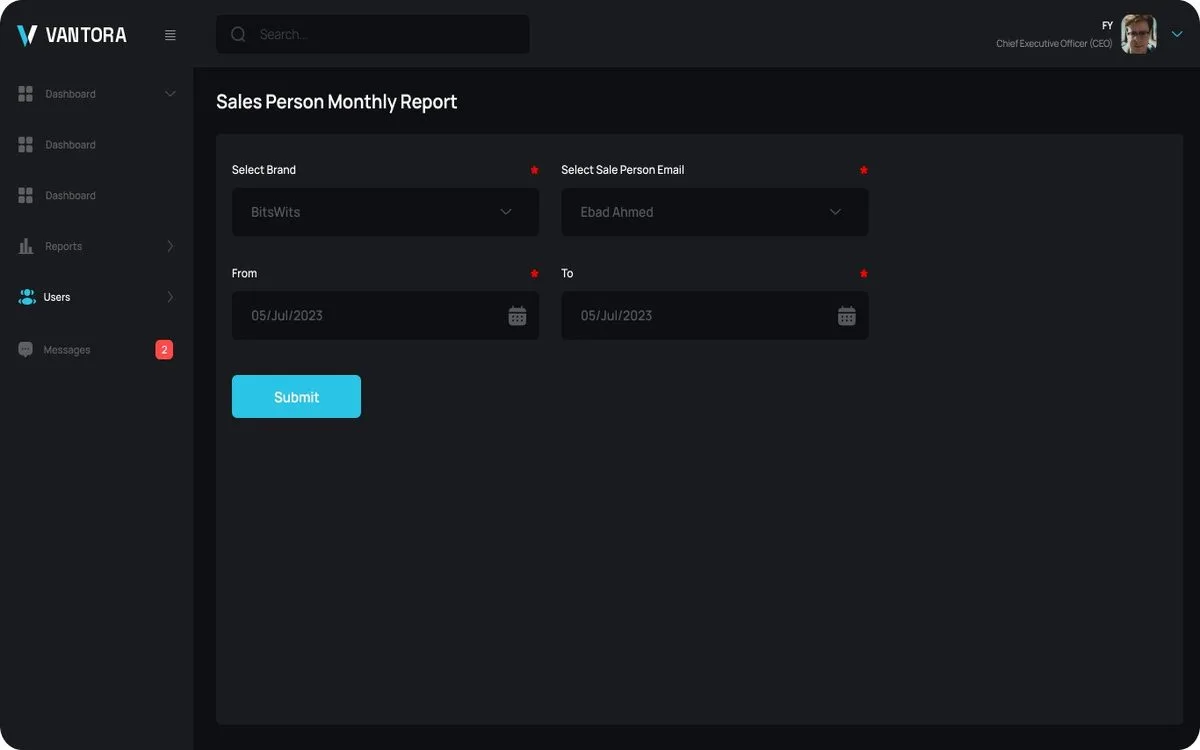
- Sales reports. Monthly reports per salesperson.
- Payment settings. Bank details and payment configuration.
- System logs. An audit trail of activity.
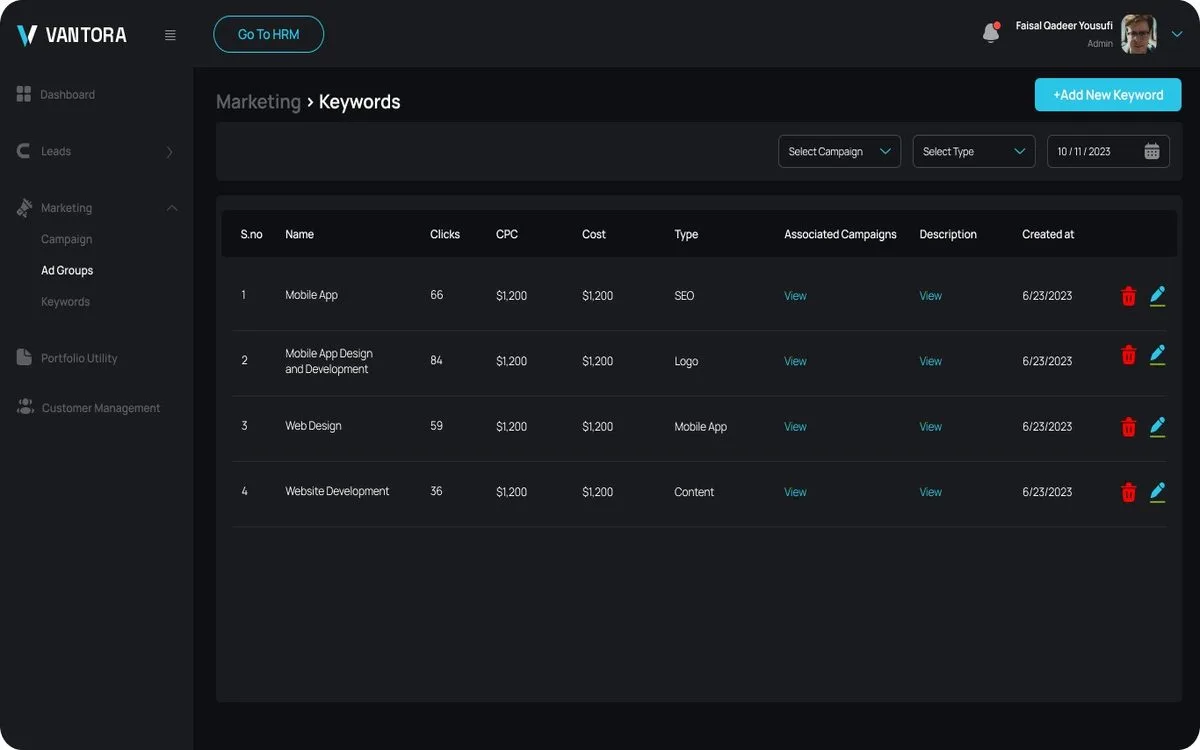
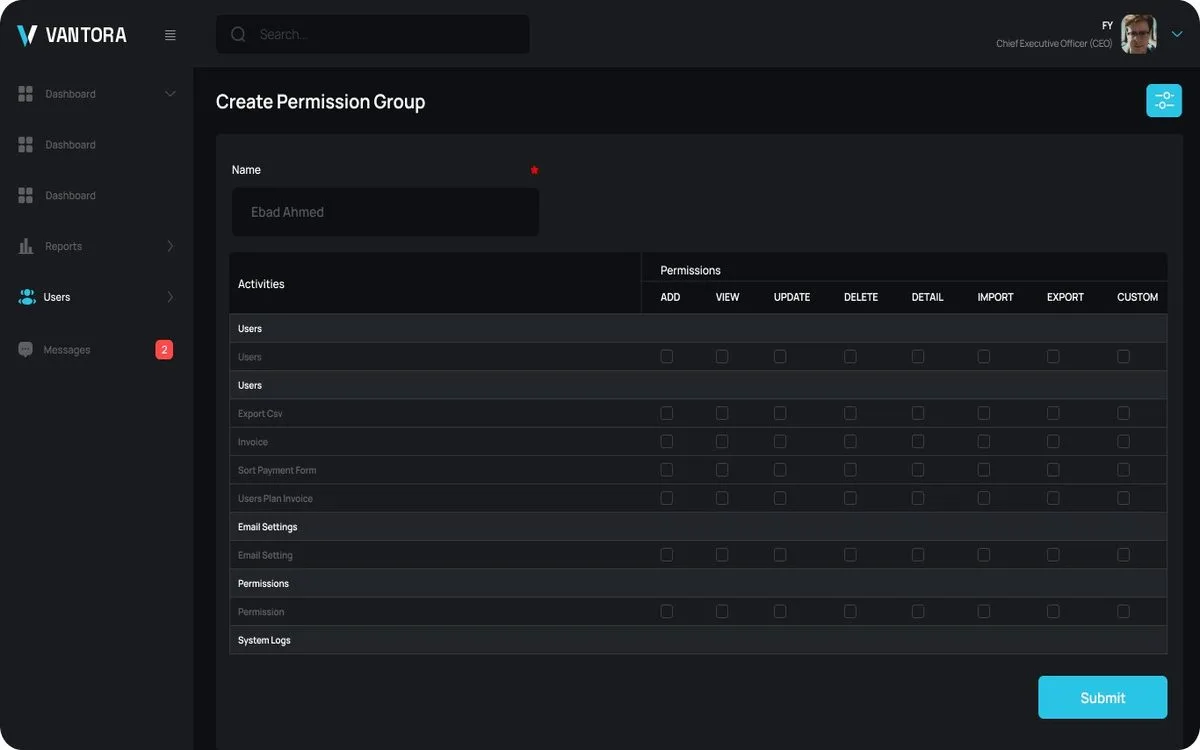
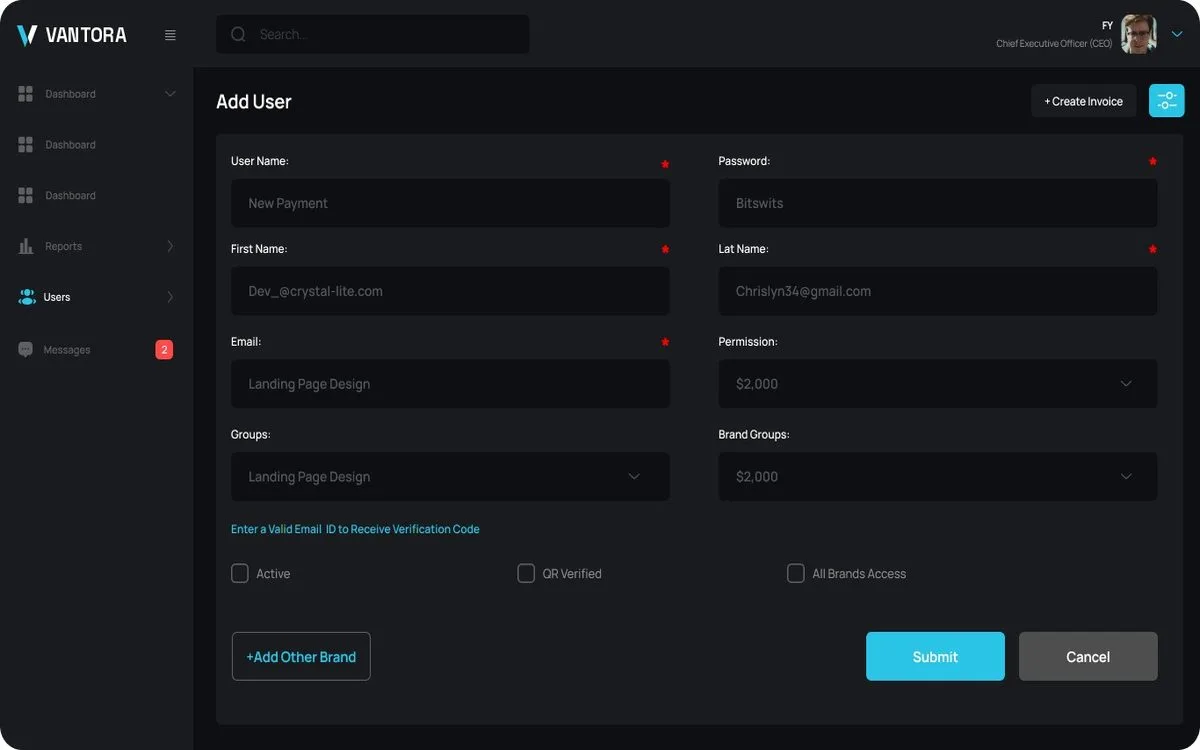
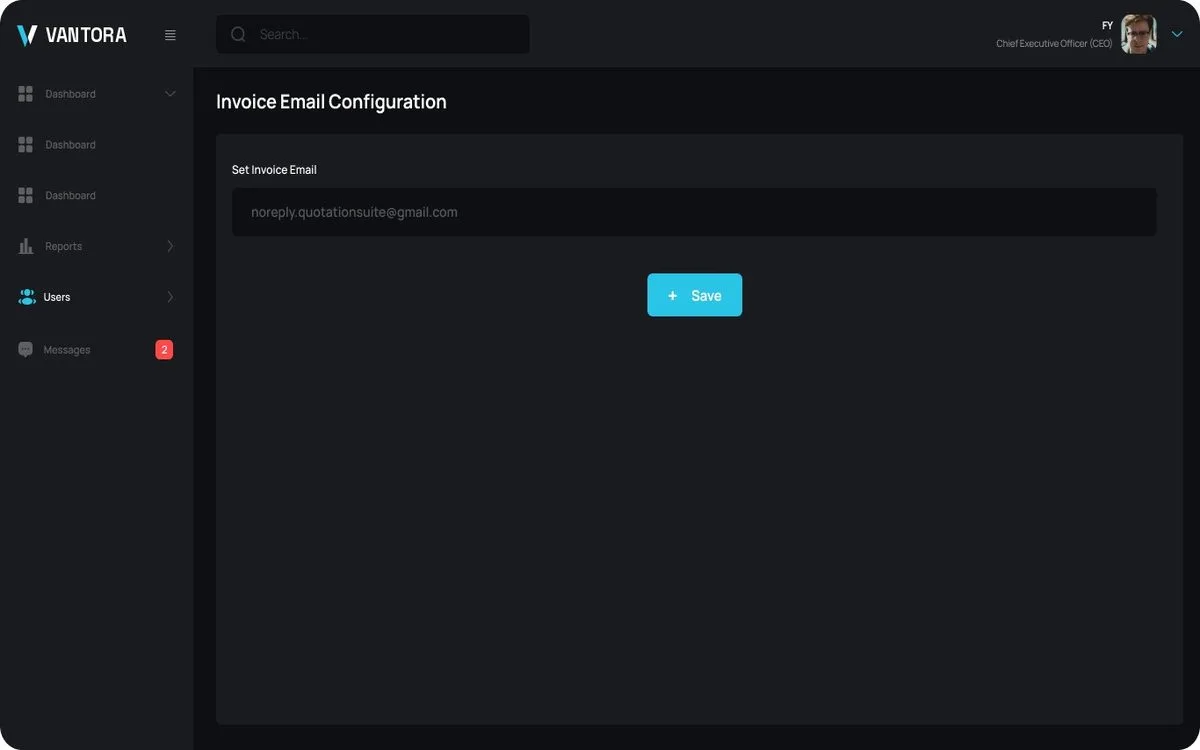
Vantora Source: marketing and lead operations
Vantora Source is the lead management module of the Vantora suite. Teams record organic and paid leads through structured entry forms, follow each lead through its stages, and compare spending against revenue for every brand.
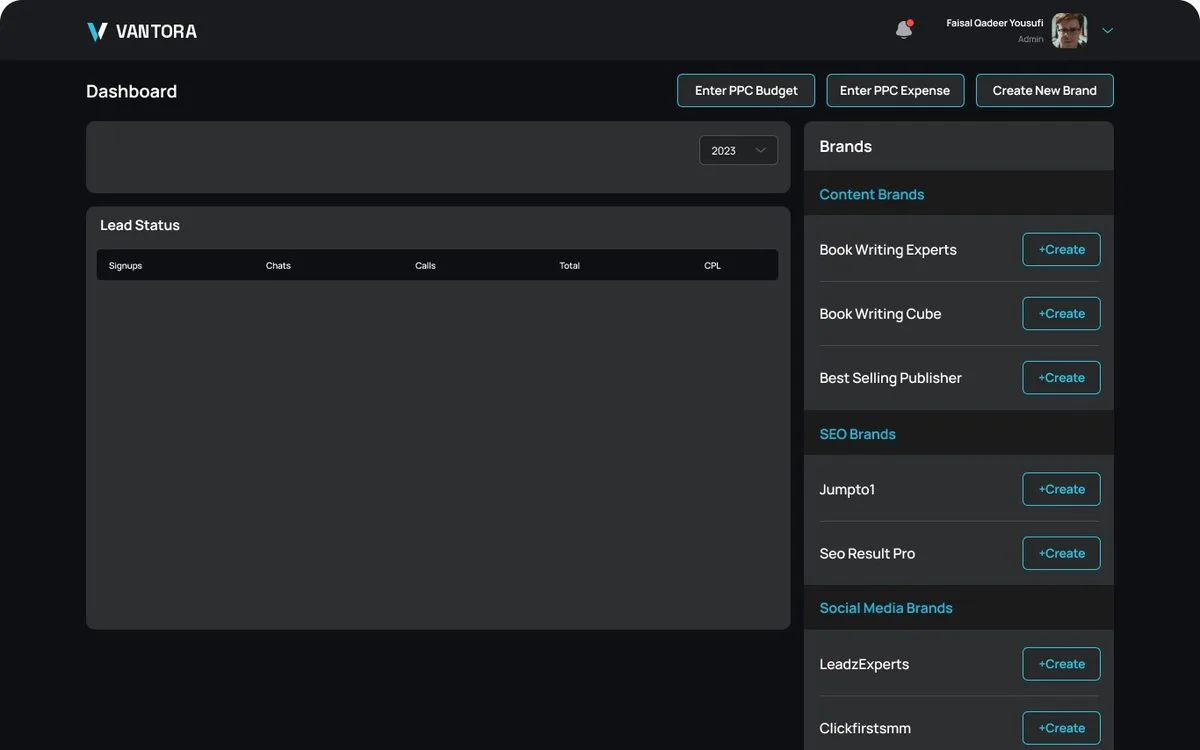
- Brand-wise leads. Leads, spend, and revenue for each brand.
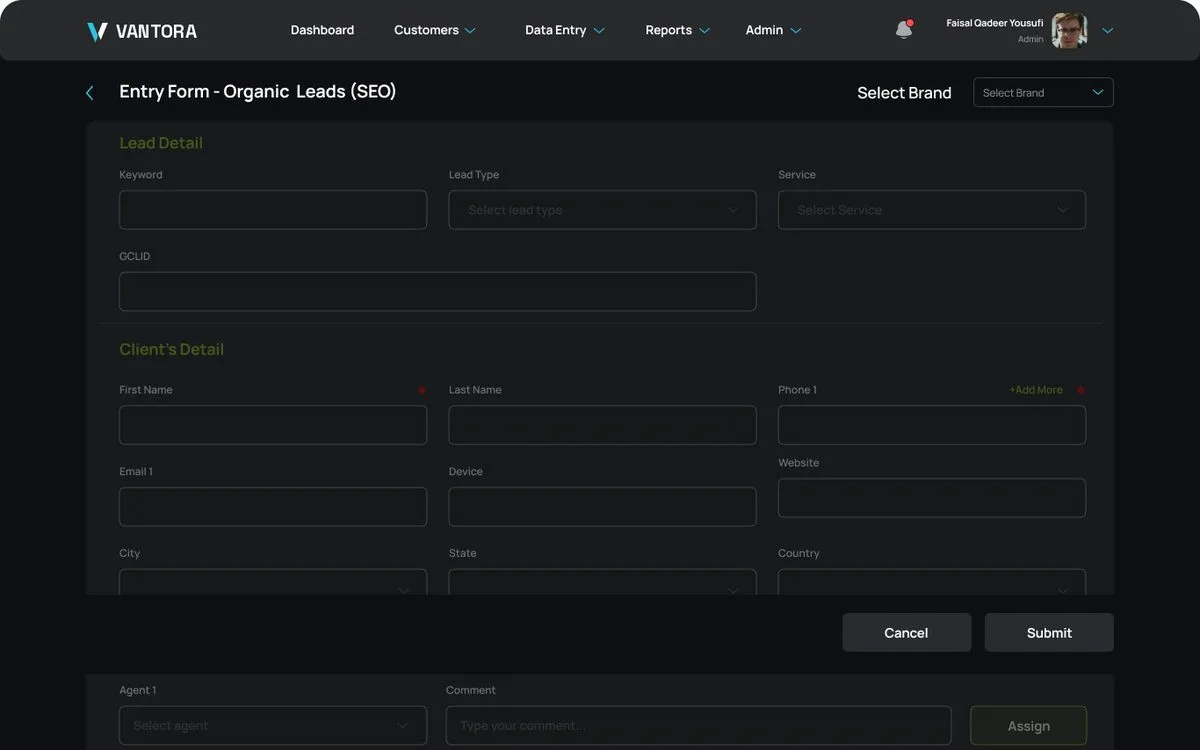
- Lead entry forms. Structured forms for organic, SEO, and scraped leads.
- Lead detail. Stage progress, notes, and activity for every lead.
- Daily expense reports. Marketing spend reported day by day.
- Funnel views. Lead stages shown as funnels per report.
- Dashboards. All, primary, and secondary dashboard views.
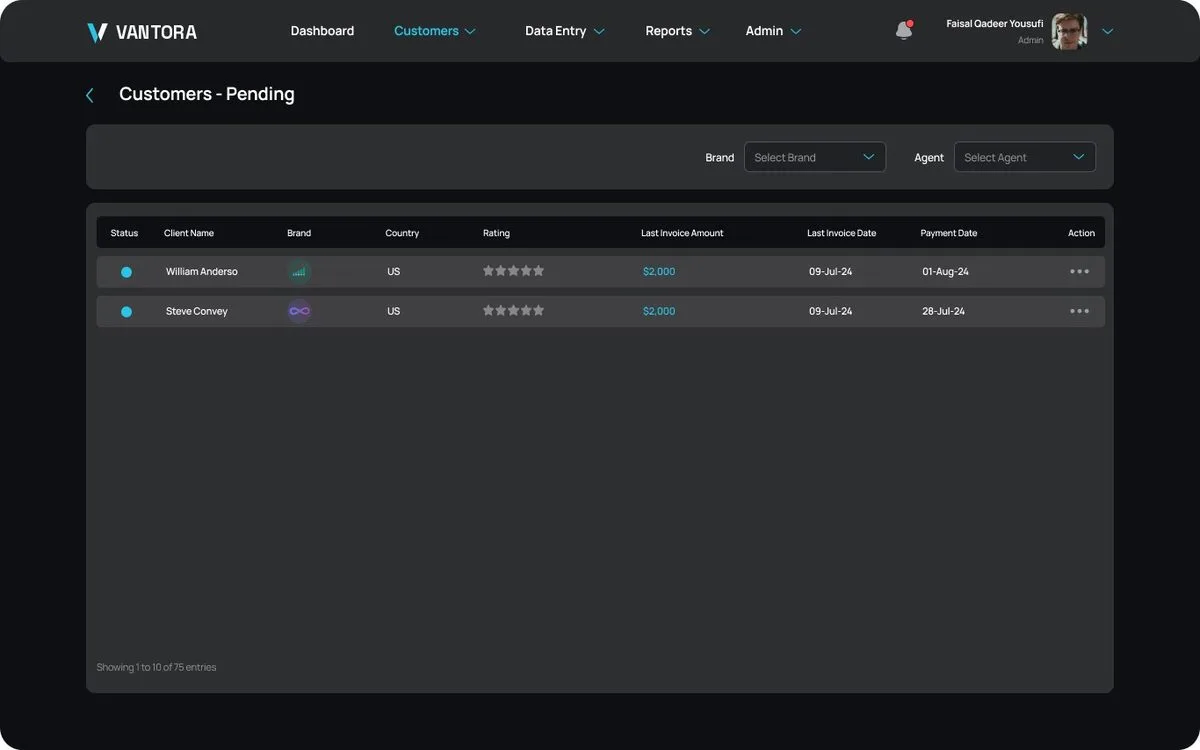
- Customers. Active customer tracking.
- Invoice payments. A list of invoice payments received.
- Create lead. Quick lead creation from anywhere in the module.
Vantora Crew: hr and workforce management
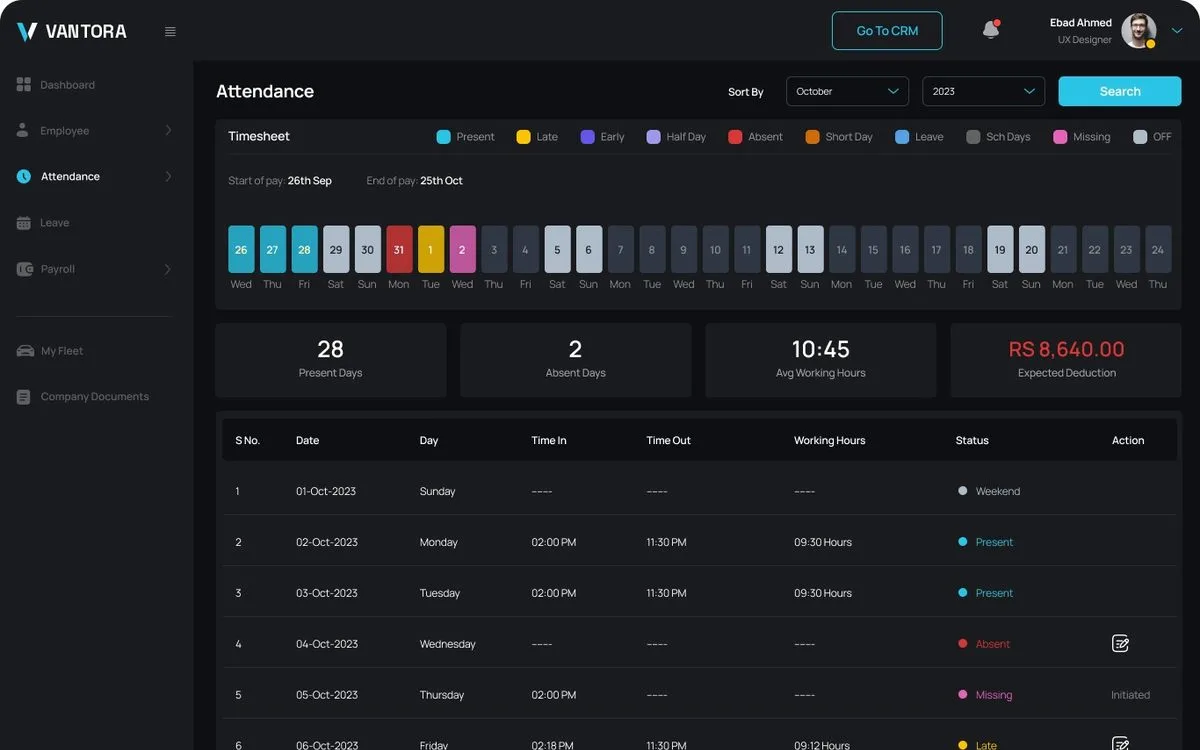
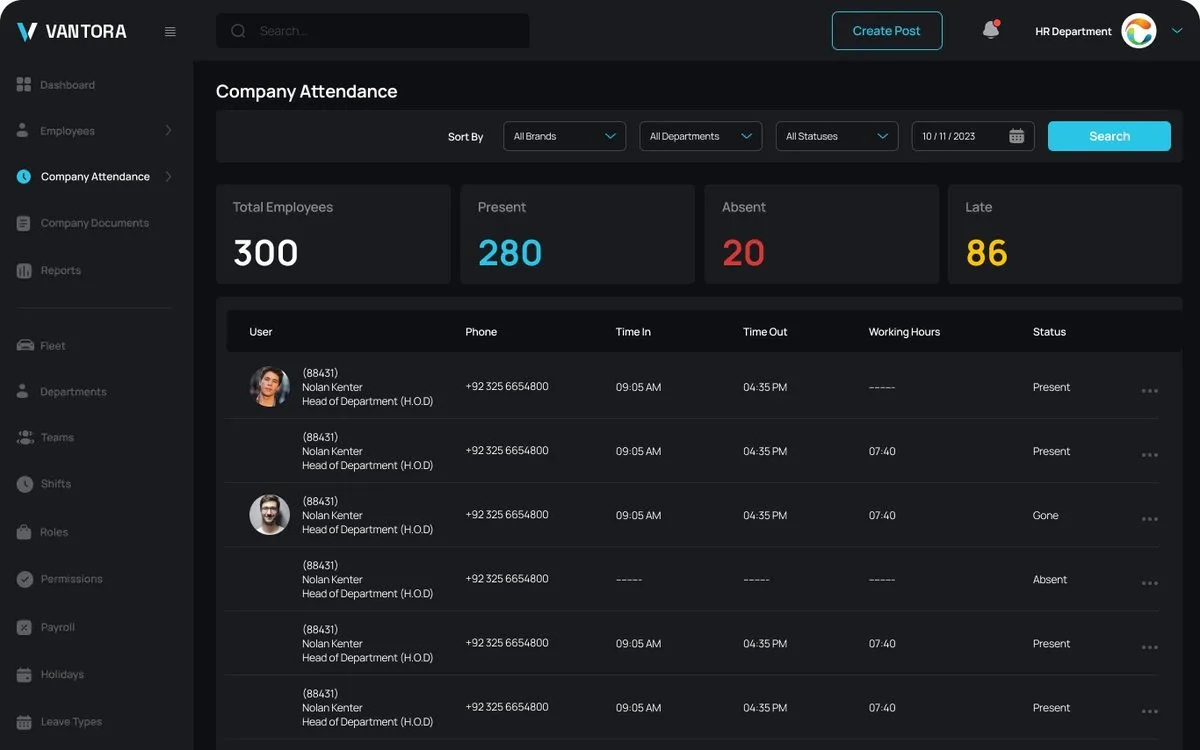
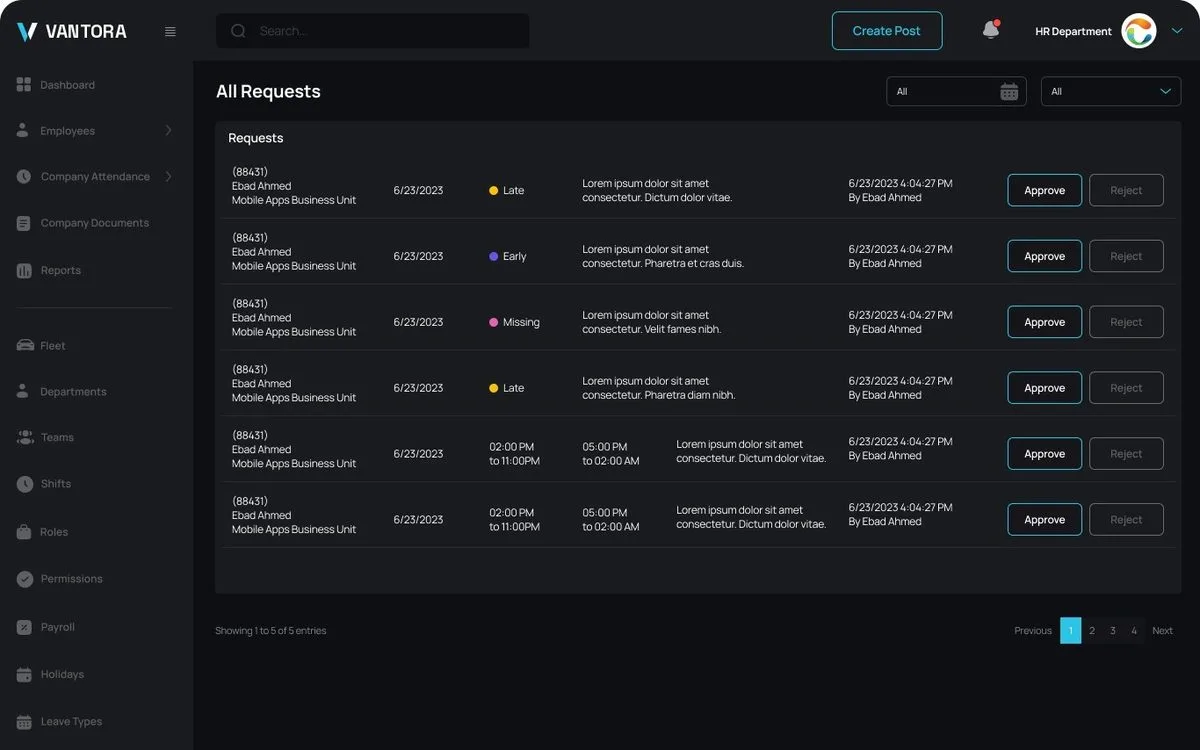
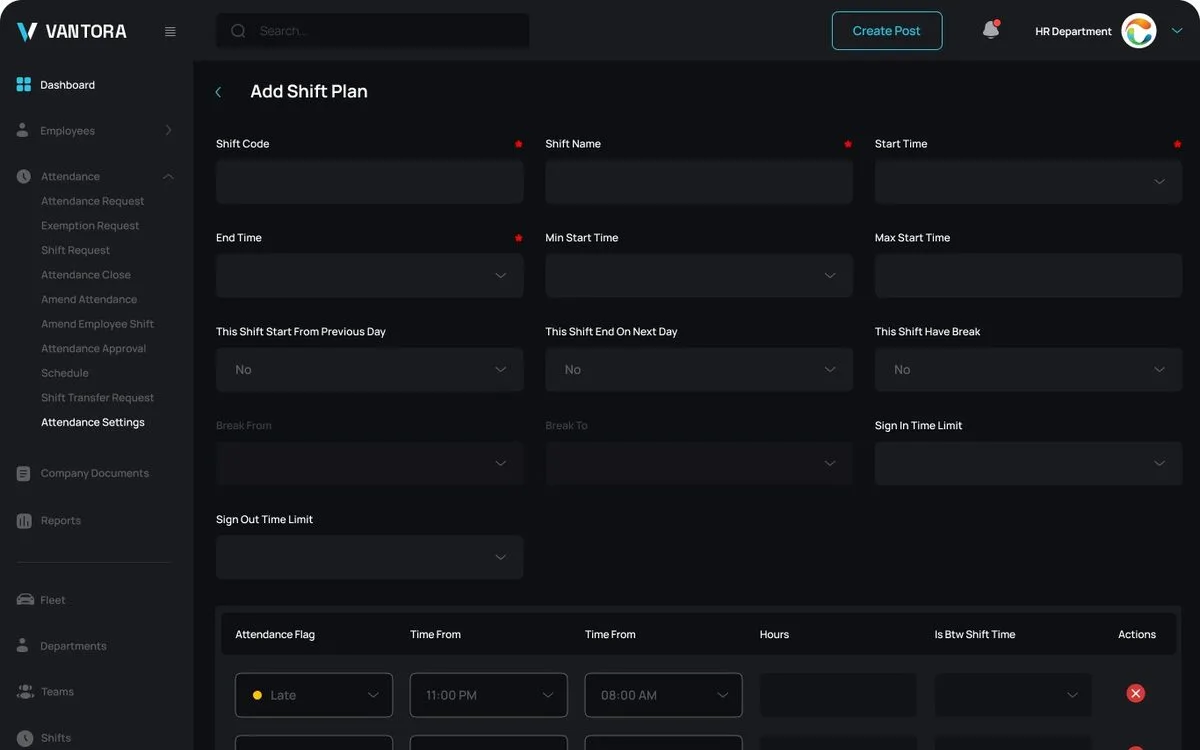
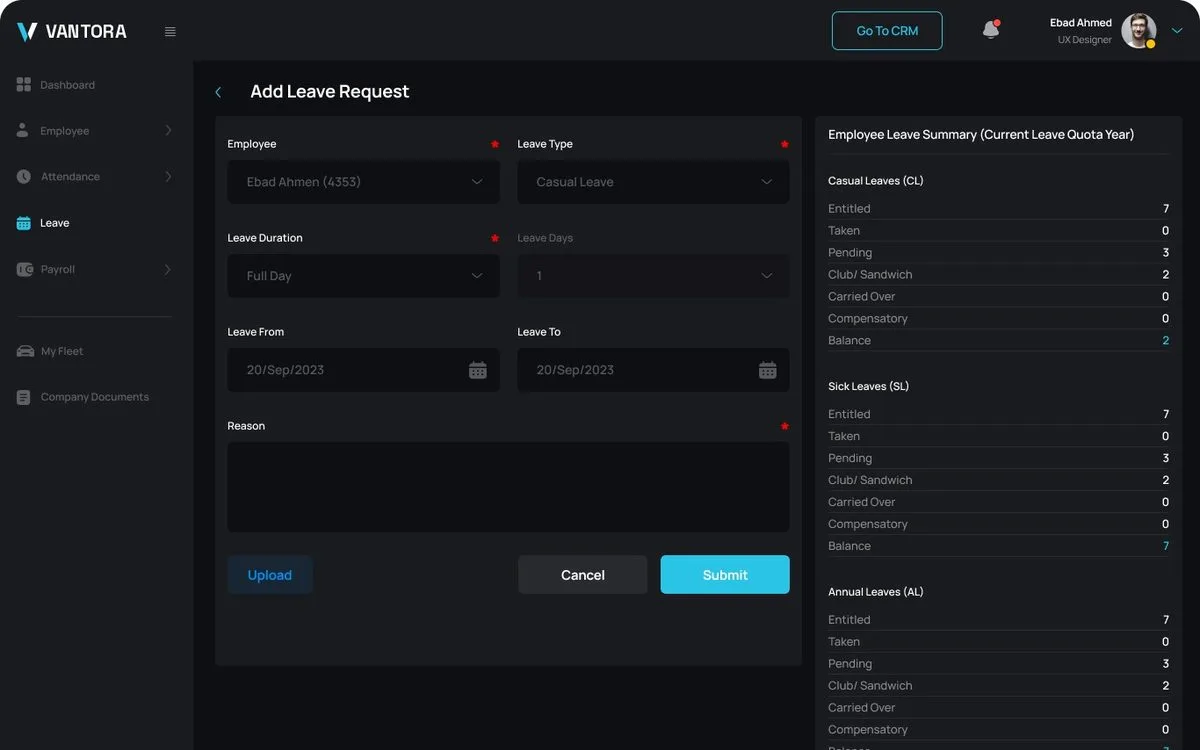
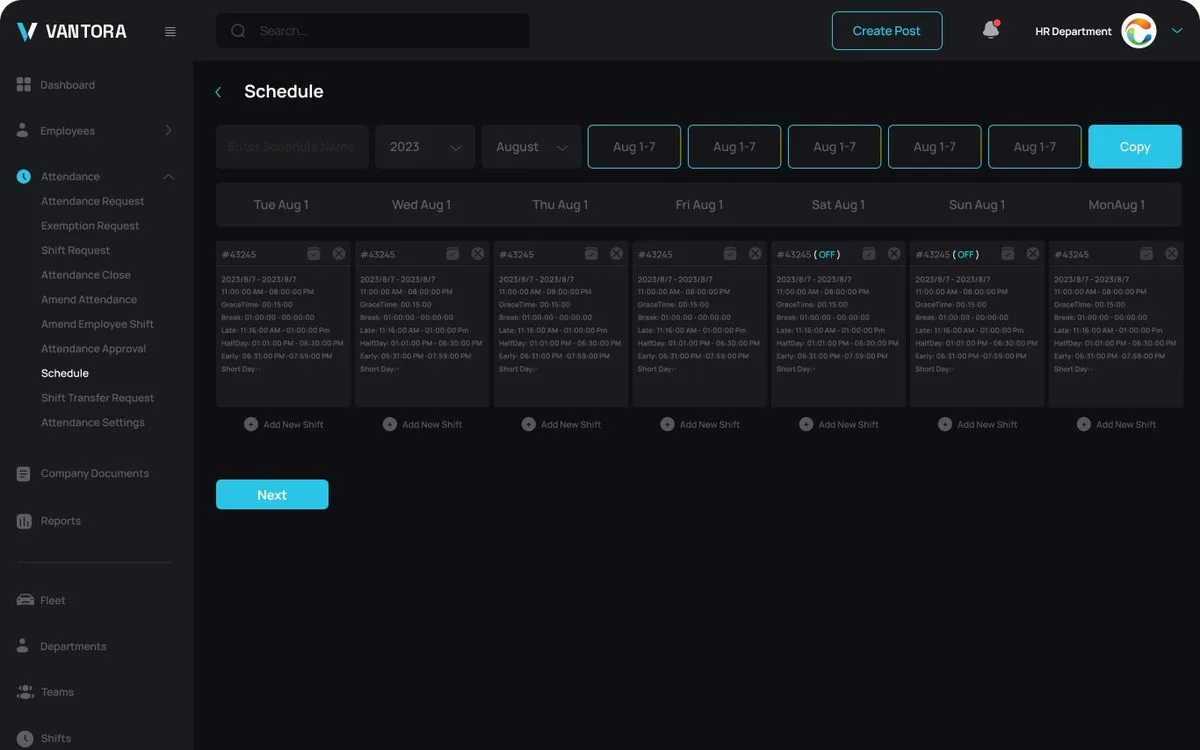
Vantora Crew is the HR module of the Vantora suite. Employees see their timesheet and submit requests; managers approve them, plan shifts, and keep departments, documents, and employee records up to date.
- Attendance timesheet. Daily status with present, late, leave, and absent markers.
- Company attendance. A company-wide attendance overview.
- Employee requests. Attendance, leave, loan, advance salary, reimbursement, exemption, compensation, and resignation.
- Request approvals. A single list of all requests and their status.
- Shift plans. Create shift plans and shift requests.
- Employee schedules. Schedules for every employee.
- Attendance settings. Rules for how attendance is recorded.
- Public holidays. A managed holiday calendar.
- Departments. Departments and their members.
- Employee records. Employee data and company documents.
- Roles. Role assignment and access control.
How we worked
Discovery sessions, then business, functional and technical requirements and a data model, then design and handover. Every screen traces back to a documented requirement.
What the client received
Plain names first; the short labels are what developers call each document.
Business Requirements Document
Business goals, users, scope, and success measures.
Functional Specification Document
Every feature, flow, business rule, and screen behavior.
Technical Requirements Document
Architecture, integrations, security, and performance requirements.
Entity Relationship Diagram
The data model behind the product and how its records connect.
UX and UI design
35 screens, ready for development handover.
Outcome
Content needed: a real quote from this client, two or three sentences, in their own words
Have a product like this in mind?
We start with discovery: requirements, documentation and design that any development team can quote and build from.
Free and without obligation. Content needed: call length
- Before the callWe read what you sent, so the call starts with your problem.
- On the callWe ask questions, listen, and explain how we would approach it.
- After the callIf we are a fit, a written proposal with a fixed scope follows. If not, we say so.